 Monitor
Claude Code
Push a build status or a daily digest as you work.
For your coding agent
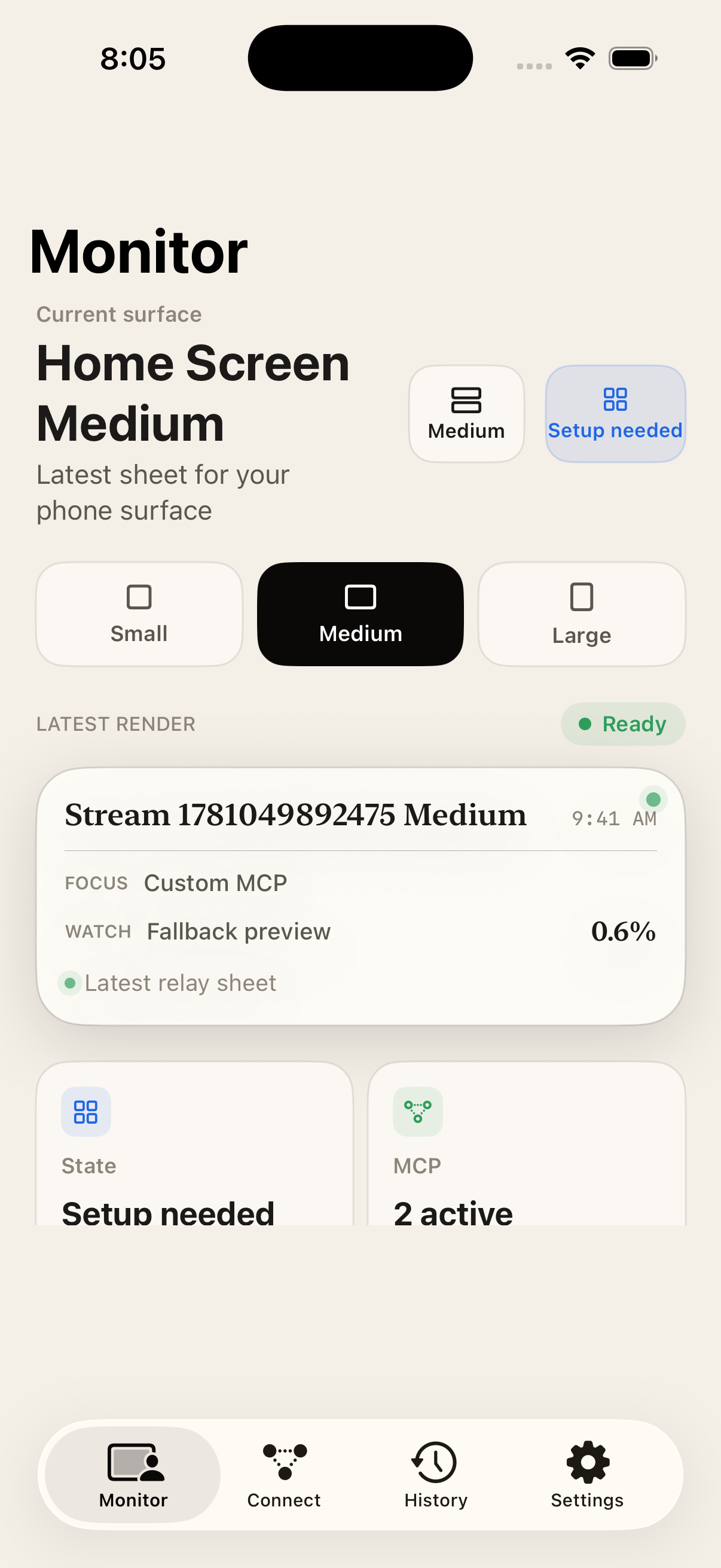
Monitor gives Claude Code, Codex, Cursor — any MCP agent — a private surface on your Home Screen. Your agent writes a small HTML sheet, and it shows up as a live widget on your phone.
How it works
No dashboards, no copy-pasting. Connect once, and your agent can put anything you care about on your phone.
Open Monitor, create a private token, and paste the Monitor endpoint into Claude Code, Codex, Cursor, or your own MCP client.
It calls monitor.write_sheet with a little HTML — a build status, today's numbers, a reminder, anything worth a glance.
Monitor renders it and keeps the latest version live in the app and your Home Screen widget — always up to date, never noisy.
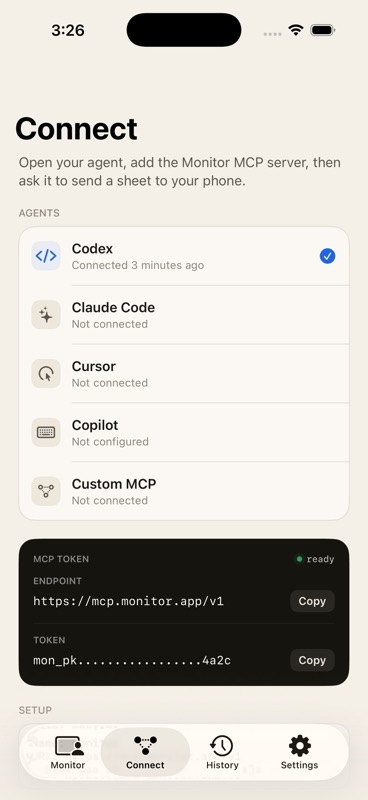
Inside the app
Every screen is built for a glance — your agent's latest sheet, rendered cleanly, with history when you want it.
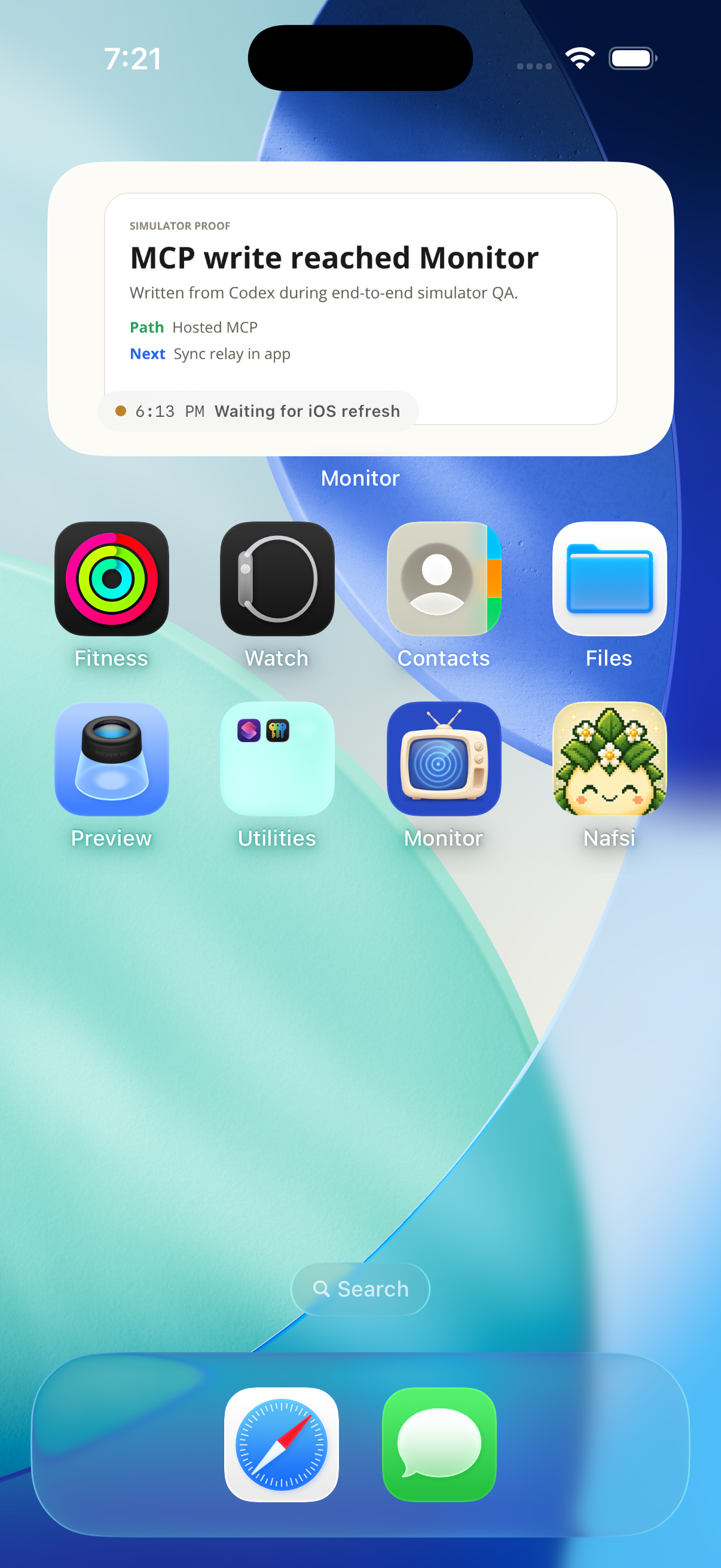
Your agent's latest sheet, sitting right where you'll glance — no app to open, nothing to refresh.
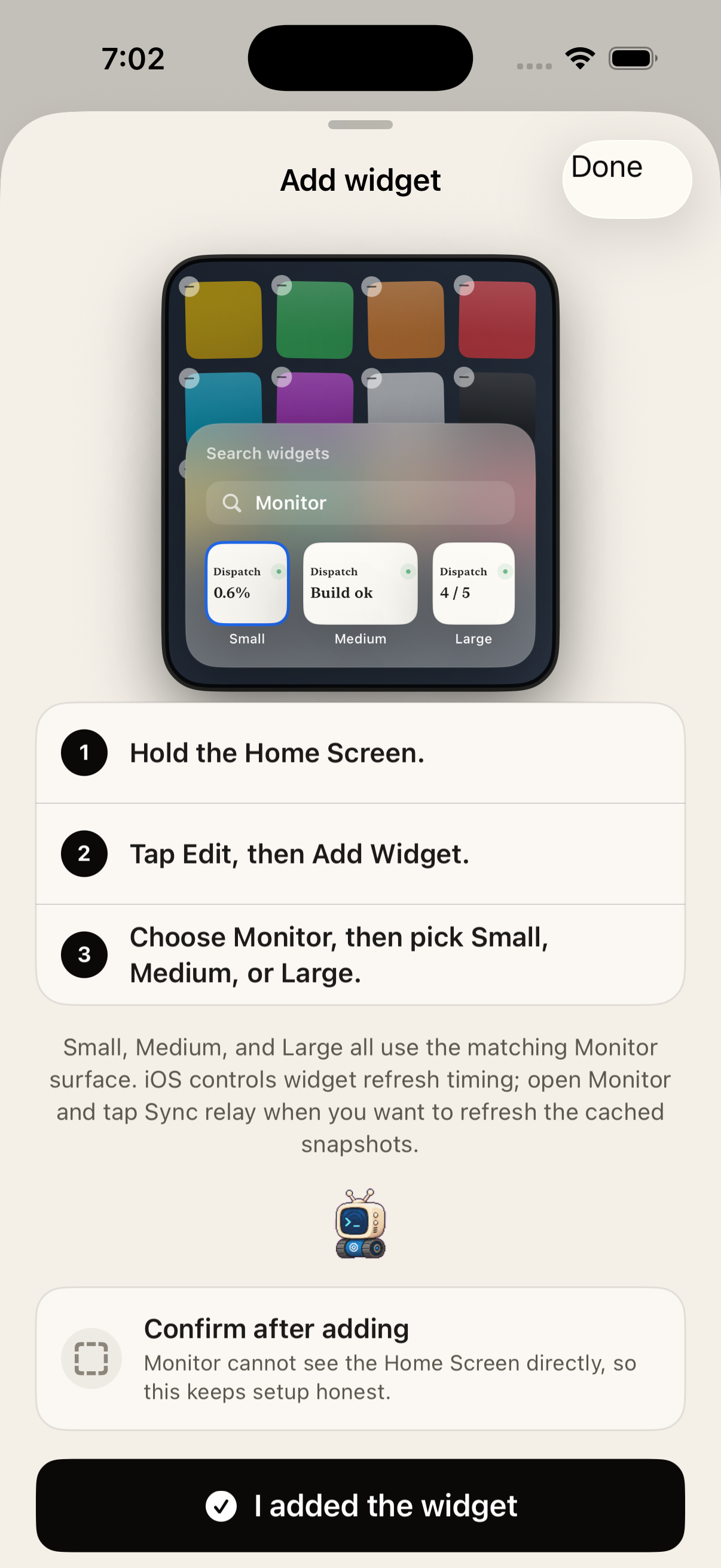
Long-press, pick Monitor, choose a size. That's the whole setup.
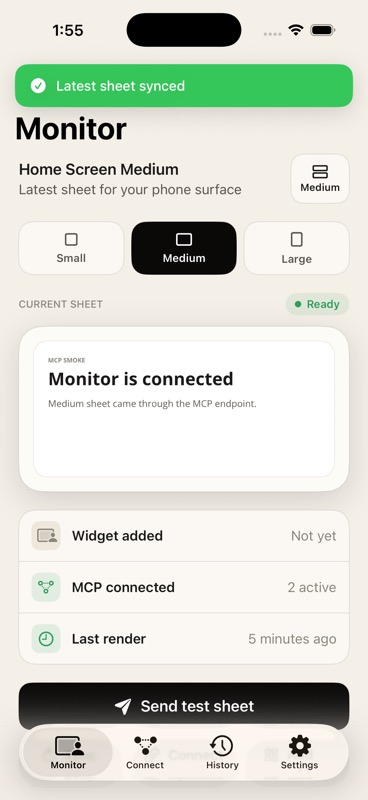
The same live sheet, sharp at small, medium, and large.
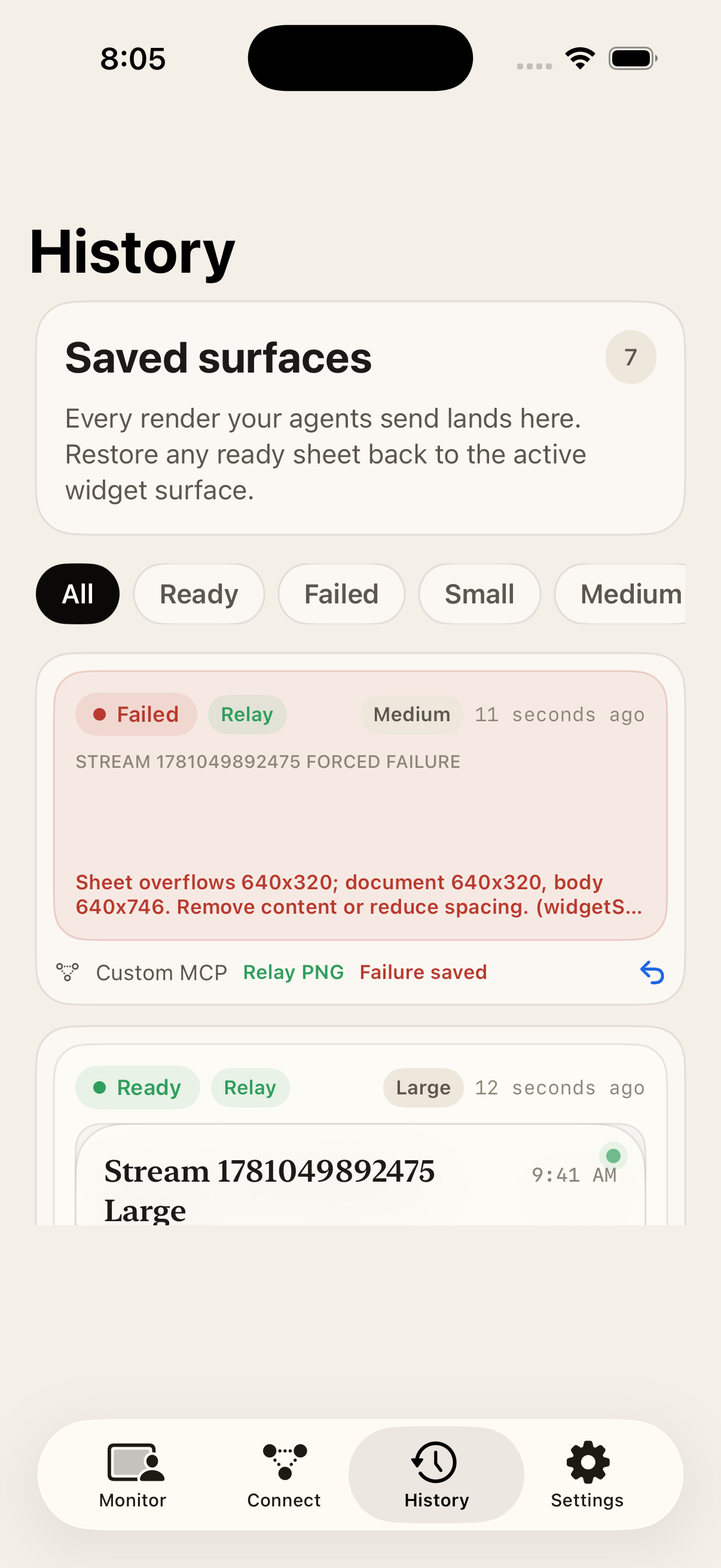
Every render is saved — see what changed, when, and roll back to the last good sheet if one fails.
The shape of it
Monitor stays narrow on purpose. Your agent writes the current sheet; iOS shows the latest safe snapshot whenever the widget refreshes.
{
  "tool": "monitor.write_sheet",
  "arguments": {
    "surface": "home-medium",
    "title":   "Launch checks",
    "html":    "<section>...</section>"
  }
}
// → rendered, stored, and live on your widgetDecides what matters and writes the sheet.
Authenticates, renders, and keeps the latest preview.
Shows the freshest safe snapshot on the Home Screen.
Works with
Monitor is a standard MCP endpoint — the same clients you already code with can write to your widget.
Push a build status or a daily digest as you work.
Let a long-running task report progress to your Home Screen.
Surface the thing you keep alt-tabbing to check.
Any agent flow that can call a tool can write a sheet.
Open clients welcome — it's just MCP.
Wire up the hosted endpoint with a private token and go.
Download Monitor, connect your agent, and watch your first sheet land on your iPhone.